Software for SMBs FAQ: A Comprehensive Guide
- Understanding the Basics: Software for SMBs FAQ
- What are the Main Types of Software SMBs Need?
- Why is SaaS Gaining Popularity Among SMBs?
- Diving Deeper: Specific Software Categories in our Software for SMBs FAQ
- Communication Software: Connecting Your Team
- What are the key features to look for in communication software?
- How can communication software improve my business?
- CRM and Sales Tools: Boosting Your Sales Process
- What are the benefits of using a CRM system?
- Which CRM features are most important for SMBs?
- Marketing Software: Reaching Your Target Audience
- What types of marketing software are essential for SMBs?
- How can marketing software improve my marketing efforts?
- Project Management Software: Staying Organised and on Track
- What features should I look for in project management software?
- How can project management software benefit my SMB?
- Accounting and Payroll Software: Managing Your Finances
- What are the key benefits of using accounting software?
- What features are essential in payroll software?
- HR Software: Managing Your Employees
- What are the main benefits of using HR software?
- What features are important in HR software for SMBs?
- Security Software: Protecting Your Business
- Why is cybersecurity important for SMBs?
- What are some essential security measures for SMBs?
- Conclusion: Making Informed Decisions
Navigating the world of software can be daunting for small to medium-sized businesses (SMBs). With so many options available, it’s crucial to understand which solutions best suit your needs. This article aims to address common questions and provide a comprehensive software for SMBs FAQ, helping you make informed decisions to drive your business forward. We'll explore various software categories, from communication and sales to project management and security, offering insights to streamline your operations and boost efficiency.
Understanding the Basics: Software for SMBs FAQ
When considering software for SMBs, it's vital to grasp the fundamental concepts. Software as a Service (SaaS) is a common delivery model where software resides on a central server, typically in the cloud, and is accessed via subscription. This eliminates the need for SMBs to maintain the software themselves, making it an increasingly popular choice. But what specific types of software are available, and how can they benefit your business? This software for SMBs FAQ will guide you through the key areas.
What are the Main Types of Software SMBs Need?
Many SMBs find themselves juggling multiple software solutions for different aspects of their business. However, there is a range of software available to help with these processes, and many SMBs will require tools that handle these common processes:
- Communication Software: These tools facilitate internal and external collaboration through messaging, video conferencing, and phone services. Examples include RingCentral Video Pro, Slack, and Zoom.
- Customer Relationship Management (CRM) Software: CRMs help manage interactions with past, current, and future clients, enabling businesses to analyse and strategise their interactions. Examples include Spotler CRM, Freshsales, and Agile CRM.
- Marketing Software: Marketing tools help businesses run campaigns, analyse customer behaviour, and optimise their online presence. Examples include Screaming Frog, Canva, and Hotjar.
- Project Management Software: These solutions help teams plan, organise, and manage resources for projects, ensuring deadlines are met. Examples include monday.com, Wrike, and Miro.
- Accounting and Payroll Software: These tools manage finances, track expenses, and process employee payments. Examples include ZipBooks, ProfitBooks, and Wave.
- Human Resources (HR) Software: HR software helps with employee scheduling, time tracking, and other HR-related tasks. Examples include Homebase and Connecteam.
- Security Software: Security software helps protect your data and systems from cyber threats. This includes things like firewalls, patch management and employee training.
Why is SaaS Gaining Popularity Among SMBs?
SaaS solutions are increasingly popular among SMBs due to their subscription-based model, which eliminates the need for upfront license fees and the burden of software maintenance. This allows SMBs to focus on their core business activities rather than IT management, and can also be more cost effective. The benefits of SaaS include:
- Cost-effectiveness: Subscription models reduce the initial financial burden.
- Accessibility: Cloud-based solutions allow access from anywhere with an internet connection.
- Scalability: SaaS solutions can easily scale to accommodate business growth.
- Integration: Many SaaS tools integrate with other business applications, streamlining workflows.
- Automation: SaaS can automate repetitive tasks, freeing up time for more crucial activities.
Diving Deeper: Specific Software Categories in our Software for SMBs FAQ
Now that we have covered some basics, lets look at some more specific areas of software that are commonly asked about in our software for SMBs FAQ.
Communication Software: Connecting Your Team
Effective communication is the backbone of any successful business. Here are some frequently asked questions about communication software:
What are the key features to look for in communication software?
When selecting communication software, consider the following features:
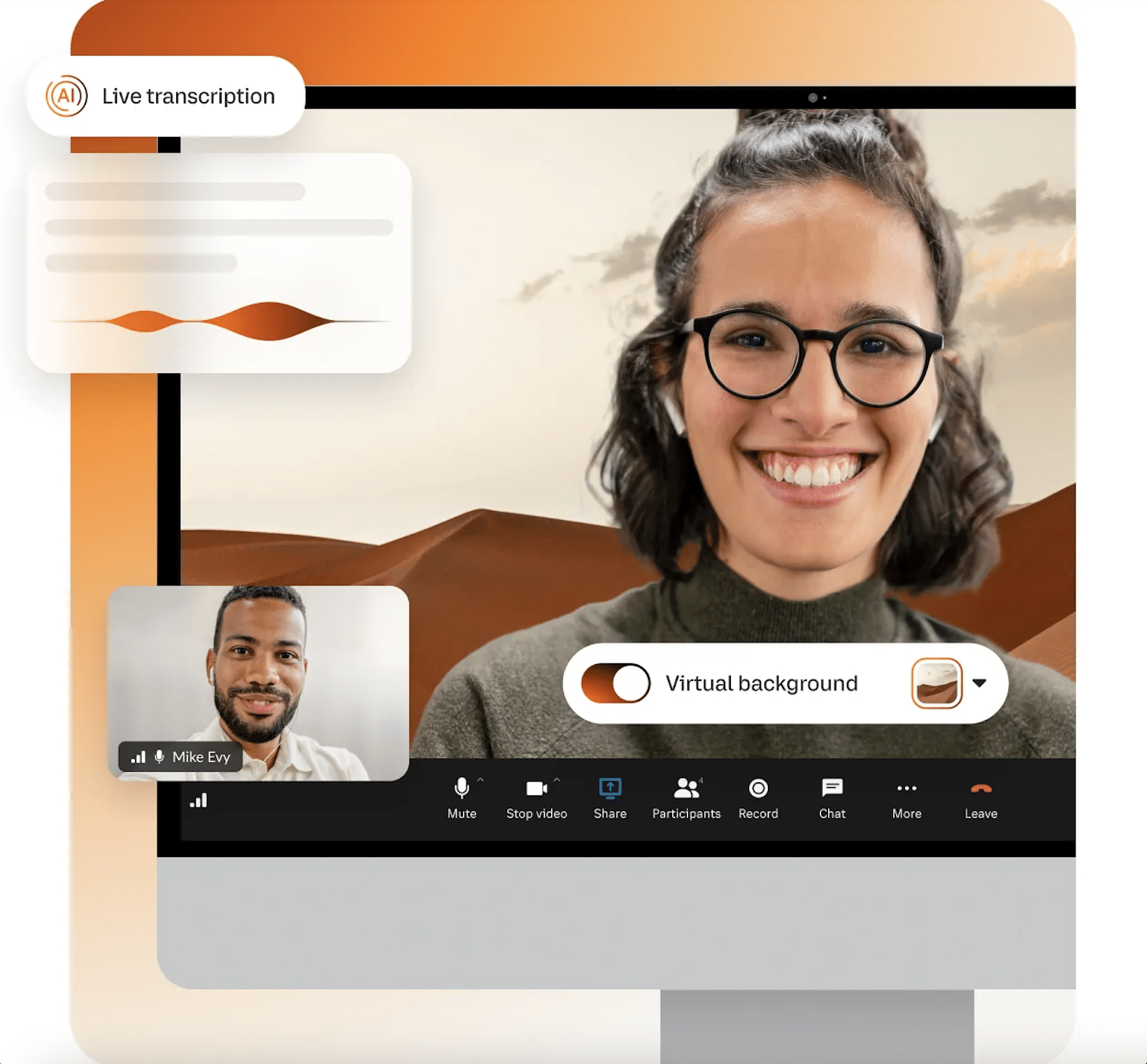
- Integrated Messaging: Tools that combine team messaging, video conferencing, and phone services in a single app, such as RingCentral Video Pro.
- File Sharing: The ability to easily share files and collaborate on documents.
- Screen Sharing: Allows for real-time collaboration during online meetings.
- Video and Audio Conferencing: High-quality video and audio for clear communication.
- Ease of Use: An intuitive interface that is easy to learn and use.
Credit: https://www.ringcentral.com/us/en/blog/free-business-software/
How can communication software improve my business?
Utilising a good communications software can:
- Enhance Collaboration: Facilitate seamless communication between team members, regardless of their location.
- Improve Productivity: Streamline workflows by enabling quick and easy information sharing.
- Reduce Costs: Minimise travel expenses by holding virtual meetings.
- Enhance Customer Engagement: Provide a platform for clear and direct communication with clients.
- Increase Flexibility: Enable remote work and collaboration, improving work-life balance for employees.
CRM and Sales Tools: Boosting Your Sales Process
Customer relationship management (CRM) and sales tools are essential for managing and nurturing customer relationships. Here are some key questions:
What are the benefits of using a CRM system?
A CRM system offers numerous benefits, including:
- Improved Customer Management: Centralises customer data, providing a comprehensive view of interactions.
- Sales Pipeline Management: Tracks sales opportunities and helps manage the sales process.
- Automated Data Entry: Reduces manual data entry, saving time and improving accuracy.
- Enhanced Reporting: Provides valuable insights into customer behavior and sales performance.
- Better Customer Relationships: Enables personalised interactions and improved customer satisfaction.
Which CRM features are most important for SMBs?
For SMBs, the most important CRM features include:
- Contact Management: Ability to store and manage customer information efficiently.
- Sales Tracking: Tools to track leads, opportunities, and sales progress.
- Email Integration: Seamless integration with email platforms.
- Automation: Automates tasks like follow-ups and data entry.
- Reporting and Analytics: Provides insights into sales performance.
Marketing Software: Reaching Your Target Audience
Marketing software is crucial for reaching your target audience and driving business growth. Here are some common queries:
What types of marketing software are essential for SMBs?
Essential marketing software for SMBs includes:
- SEO Tools: Software like Screaming Frog helps analyse and optimise website SEO.
- Graphic Design Tools: Tools like Canva enable businesses to create visually appealing content.
- Website Analytics: Tools like Hotjar help analyse user behaviour on your website.
- A/B Testing Tools: Tools like Optimizely allow you to test different marketing strategies.
- Email Marketing Platforms: These help manage email campaigns and newsletters.
How can marketing software improve my marketing efforts?
Marketing software can improve your marketing efforts by:
- Improving SEO: Optimising your website for search engines to increase visibility.
- Creating Professional Content: Designing high-quality marketing materials with ease.
- Understanding Customer Behaviour: Analysing user interactions on your website.
- Optimising Campaigns: Testing and refining marketing strategies to improve results.
- Streamlining Processes: Automating tasks like social media posting and email marketing.
Project Management Software: Staying Organised and on Track
Project management software is essential for keeping projects organised and on schedule. Let's look at some common questions:
What features should I look for in project management software?
Key features to look for include:
- Task Management: Ability to create, assign, and track tasks.
- Collaboration Tools: Facilitates team communication and file sharing.
- Timeline and Gantt Charts: Visualise project timelines and dependencies.
- Customisable Dashboards: Allows you to track project progress.
- Integrations: Integrates with other tools like messaging and calendar apps.
How can project management software benefit my SMB?
Using project management software can:
- Enhance Productivity: Streamline workflows and keep teams on track.
- Improve Collaboration: Enable seamless communication and file sharing.
- Reduce Errors: Minimise mistakes by providing clear instructions and deadlines.
- Increase Transparency: Provide visibility into project progress.
- Improve Resource Management: Optimise the use of resources and avoid overspending.
Accounting and Payroll Software: Managing Your Finances
Managing finances is crucial for any business, and these are some common questions around accounting and payroll software:
What are the key benefits of using accounting software?
Accounting software can help by:
- Automating Tasks: Simplifies accounting processes, such as invoicing and expense tracking.
- Improving Accuracy: Reduces errors associated with manual accounting.
- Generating Reports: Provides real-time financial reports and insights.
- Managing Cash Flow: Helps track income, expenses, and cash flow.
- Saving Time: Reduces time spent on manual bookkeeping.
What features are essential in payroll software?
Key features to look for in payroll software include:
- Automated Payroll Processing: Simplifies the payroll process.
- Tax Compliance: Ensures compliance with tax regulations.
- Direct Deposit: Enables direct deposit for employee payments.
- Employee Self-Service: Allows employees to access pay stubs and other information.
- Reporting: Provides detailed payroll reports.
HR Software: Managing Your Employees
Human Resources (HR) software can help SMBs manage their employees more effectively. Here are some frequently asked questions:
What are the main benefits of using HR software?
Using HR software can:
- Streamline HR Processes: Automates tasks like onboarding and time tracking.
- Improve Employee Management: Centralises employee data and facilitates communication.
- Enhance Efficiency: Reduces manual paperwork and administrative tasks.
- Ensure Compliance: Helps comply with labour laws and regulations.
- Improve Employee Experience: Provides self-service portals for accessing information.
What features are important in HR software for SMBs?
For SMBs, important features include:
- Time Tracking: Ability to track employee hours and attendance.
- Scheduling: Tools for creating and managing employee schedules.
- Onboarding: Streamlines the new hire onboarding process.
- Employee Database: Centralises employee information.
- Payroll Integration: Integrates with payroll software for seamless processing.
Security Software: Protecting Your Business
Cybersecurity is a growing concern for businesses of all sizes, and SMBs are no exception. Here are some key questions about security software:
Why is cybersecurity important for SMBs?
Cybersecurity is important because:
- SMBs are Targets: SMBs are often seen as easier targets by cybercriminals.
- Data Protection: Protects valuable business and customer data from breaches.
- Financial Losses: Prevents financial losses due to cyber attacks.
- Reputation Damage: Prevents damage to brand reputation due to security incidents.
- Legal Compliance: Ensures compliance with data protection laws and regulations.
What are some essential security measures for SMBs?
Essential security measures for SMBs include:
- Perimeter Security: Implementing firewalls and access controls to protect critical systems.
- Employee Training: Training employees on security best practices to prevent user errors.
- Patch Management: Keeping software and hardware up to date with the latest patches.
- Data Backups: Regularly backing up data to protect against data loss.
- Security Policies: Establishing clear security policies that employees must adhere to.
Conclusion: Making Informed Decisions
Choosing the right software for your SMB can be challenging, but by understanding your needs and exploring available options, you can find solutions that drive efficiency and growth. This software for SMBs FAQ has covered a range of essential software categories, providing insights into their benefits and key features. Remember to assess your unique needs, and consider free or low-cost options to start. By making informed decisions, you can equip your SMB with the tools it needs to succeed.