Upgrade Your Automation Game: The Best Zapier Alternatives You Need to Try
Zapier has been a popular choice for automation, allowing users to connect their favorite apps and automate workflows without any coding knowledge. However, there are several reasons why you might want to consider alternatives to Zapier. One reason is the cost. While Zapier offers a free plan, it has limitations on the number of tasks you can run and the number of apps you can connect. For more advanced features and higher usage limits, you’ll need to upgrade to a paid plan, which can be costly for small businesses and startups. Another reason to consider alternatives is the limited functionality of Zapier. While it supports a wide range of apps, there are still some apps that are not supported, which can be a deal-breaker for some users. Additionally, some users may find the user interface of Zapier to be complex and overwhelming, especially for those who are new to automation.
Another reason to consider alternatives to Zapier is the lack of customization options. While Zapier allows you to create automated workflows, the level of customization is limited compared to other automation tools. This can be frustrating for users who have specific requirements for their workflows and need more flexibility in creating and managing their automations. Finally, some users may have concerns about data privacy and security when using Zapier. As a third-party integration platform, Zapier requires access to your data in order to automate tasks, which may raise concerns for some users about the security of their sensitive information. For these reasons, it’s important to explore alternative automation tools that may better suit your needs and preferences.
Top Zapier Alternatives for Automation
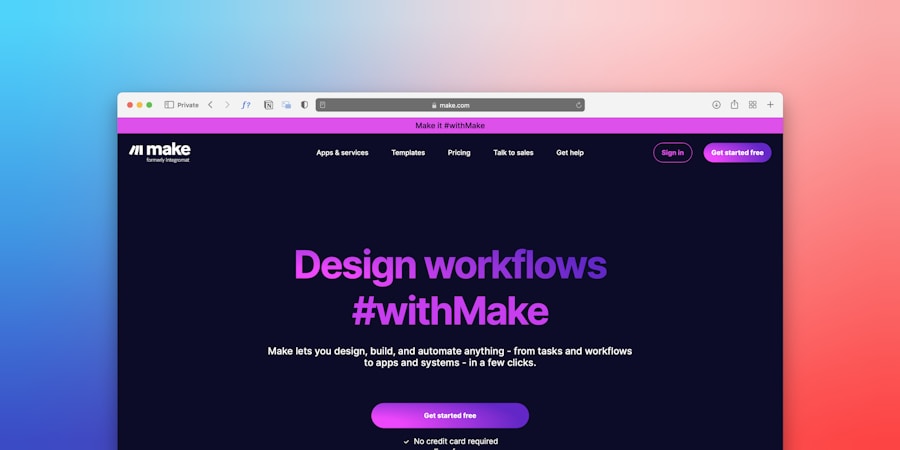
When it comes to finding alternatives to Zapier for automation, there are several options to consider. One popular alternative is Integromat, which offers a similar drag-and-drop interface for creating automated workflows. Integromat supports a wide range of apps and allows for more complex automations with its powerful features, making it a great choice for users who need more advanced functionality. Another top alternative is Microsoft Power Automate, formerly known as Microsoft Flow. This tool integrates seamlessly with Microsoft Office 365 and other Microsoft apps, making it a great choice for businesses that rely heavily on Microsoft products. Power Automate also offers a wide range of pre-built templates and connectors, making it easy to get started with automation.
Another top alternative to Zapier is Automate.io, which offers a user-friendly interface and supports a wide range of apps and triggers. Automate.io also offers advanced features such as conditional logic and multi-step workflows, making it a great choice for users who need more flexibility in their automations. Additionally, Workato is another popular alternative that offers enterprise-level automation capabilities, making it a great choice for larger businesses with complex automation needs. Workato also offers advanced features such as AI-powered automation and data integration, making it a powerful choice for businesses looking to streamline their workflows.
Comparing Features and Pricing
When comparing Zapier alternatives for automation, it’s important to consider the features and pricing of each tool to determine which one best suits your needs. Zapier offers a free plan with limitations on the number of tasks and apps you can connect, as well as paid plans with higher usage limits and advanced features such as conditional logic and multi-step workflows. Integromat also offers a free plan with limitations on the number of operations you can run, as well as paid plans with higher usage limits and advanced features such as data transformation and error handling.
Microsoft Power Automate offers a free plan with limitations on the number of flows you can run per month, as well as paid plans with higher usage limits and advanced features such as AI Builder and robotic process automation (RPA). Automate.io offers a free plan with limitations on the number of bots you can run, as well as paid plans with higher usage limits and advanced features such as custom integrations and priority support. Workato offers custom pricing based on your specific needs, with advanced features such as AI-powered automation and data integration.
When comparing the pricing of these Zapier alternatives, it’s important to consider not only the cost of the plans but also the value you will receive based on your specific automation needs. It’s also important to consider the level of support and resources provided by each tool, as well as any additional costs for add-ons or integrations that may be required for your workflows.
How to Choose the Right Zapier Alternative for Your Needs
Choosing the right Zapier alternative for your automation needs requires careful consideration of several factors. First, it’s important to assess your specific automation requirements and determine which features are essential for your workflows. For example, if you need advanced features such as conditional logic or data transformation, you’ll want to prioritize tools that offer these capabilities. It’s also important to consider the apps and services you currently use and ensure that the alternative you choose supports these integrations.
Another important factor to consider when choosing a Zapier alternative is the level of support and resources provided by the tool. Look for tools that offer comprehensive documentation, tutorials, and customer support to help you get started with automation and troubleshoot any issues that may arise. It’s also important to consider the scalability of the tool and whether it can grow with your business as your automation needs evolve.
Additionally, consider the user interface and ease of use of each tool when choosing a Zapier alternative. Look for tools that offer a user-friendly interface and intuitive design to make it easy to create and manage your automated workflows. Finally, consider any additional features or integrations that may be important for your specific needs, such as AI-powered automation or data integration capabilities.
Integrating Zapier Alternatives with Your Current Workflow
Once you’ve chosen a Zapier alternative for automation, it’s important to seamlessly integrate it with your current workflow to ensure a smooth transition. Start by identifying the specific tasks or processes that you want to automate and map out the steps involved in each workflow. This will help you determine how best to integrate the new automation tool into your existing processes.
Next, familiarize yourself with the features and capabilities of the chosen alternative and explore any available resources or documentation to help you get started. Many automation tools offer pre-built templates and connectors that make it easy to integrate with popular apps and services, so take advantage of these resources to streamline the integration process.
It’s also important to communicate with your team about the new automation tool and provide training or support as needed to ensure that everyone is comfortable using the new tool. Consider creating documentation or tutorials to help guide your team through the integration process and address any questions or concerns that may arise.
Finally, test the integration thoroughly to ensure that it meets your requirements and functions as expected. This may involve running test automations or pilot projects to identify any potential issues or areas for improvement before fully integrating the new tool into your workflow.
Tips for Maximizing Automation with Zapier Alternatives
Once you’ve integrated a Zapier alternative into your workflow, there are several tips for maximizing automation and getting the most out of the new tool. First, take advantage of pre-built templates and connectors offered by the tool to streamline the creation of automated workflows. These resources can help you get started quickly and easily automate common tasks without needing to build workflows from scratch.
Next, explore advanced features offered by the chosen alternative, such as conditional logic, data transformation, or AI-powered automation, to create more complex and powerful workflows that meet your specific requirements. These features can help you automate more tasks and processes within your organization, saving time and improving efficiency.
It’s also important to regularly review and optimize your automated workflows to ensure they continue to meet your needs and remain effective over time. This may involve monitoring performance metrics, identifying areas for improvement, and making adjustments as needed to optimize your automations.
Finally, consider exploring additional integrations or add-ons offered by the chosen alternative to further enhance your automated workflows. Many automation tools offer integrations with third-party services or tools that can extend their functionality and provide additional capabilities for your workflows.
The Future of Automation: Exploring New Tools and Technologies
As technology continues to evolve, so too do the tools and technologies available for automation. Looking ahead, it’s important to explore new tools and technologies that can further enhance your automated workflows and provide additional capabilities for your organization.
One area of innovation in automation is artificial intelligence (AI) and machine learning, which are increasingly being integrated into automation tools to provide more intelligent and predictive capabilities. AI-powered automation can help organizations automate more complex tasks and processes by analyzing data and making decisions based on patterns or trends.
Another area of growth in automation is robotic process automation (RPA), which involves using software robots or “bots” to automate repetitive tasks traditionally performed by humans. RPA can help organizations streamline their operations by automating manual processes such as data entry or document processing.
Additionally, as more organizations embrace cloud-based services and platforms, there is a growing need for automation tools that can seamlessly integrate with cloud-based apps and services. This includes tools that offer robust data integration capabilities to connect disparate systems and streamline data flows across an organization.
Looking ahead, it’s important for organizations to stay informed about new tools and technologies in automation and explore how these innovations can benefit their operations. By staying ahead of the curve and embracing new tools and technologies, organizations can continue to maximize efficiency and productivity through automation.